
Lucky Bookings – Sun Rooms – Family Rooms
Offering virtual products for different target groups has the advantage that, on the one hand, your own branded products and positioning are not compromised, and on the other hand, these products are ideally suited to filling occupancy gaps or providing greater flexibility in allocation during periods of high demand. In earlier system setups, such bookings were also configured under the ROH code (Run of the House), allowing operations teams to assign these reservations flexibly.
Emotionalization in combination with suitable visual material can make the offer especially attractive during times of high demand.
Step by Step
- Define which units should be included in the product.
- Clone a category in which these units most frequently occur to save effort.
Product > Create Product > Clone Product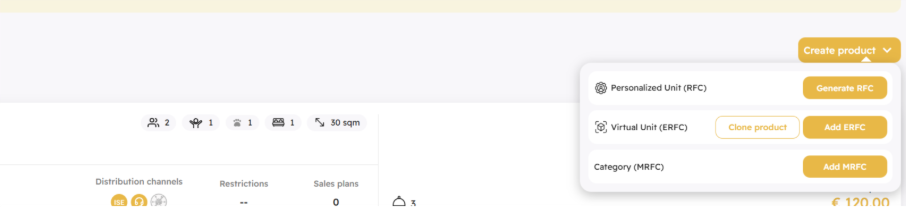
- Add missing units or remove units that should not be included in the product.
- Adjust capacity and features that you want to offer.
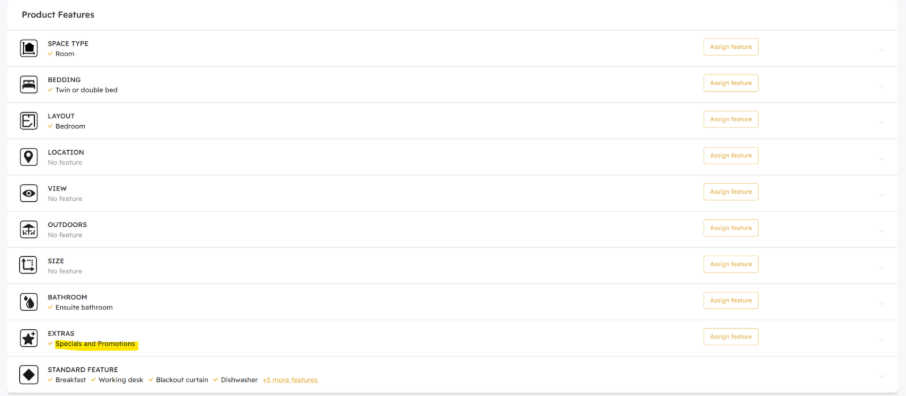
In general, you should be rather conservative with the number of features for these products to ensure sufficient flexibility. - Select a generic feature that can be customized and ranked high in popularity.
Ideally, this is a feature such as “Offers and Specials” or similar.
Select a generic feature (found under Product > Feature Section > Extras) and later rename it under Features > Retail Features > Extras.

Setting up the Sales Plans
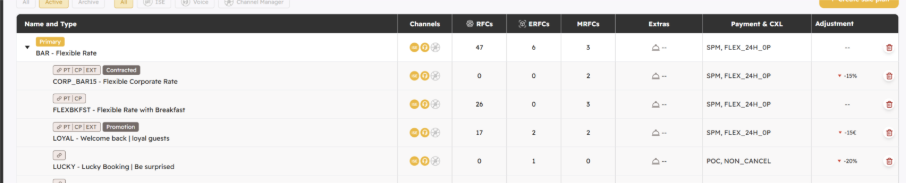
In the next step, you set up a sales plan. This is usually derived from your leading rate, but you can also decide to offer a stand-alone rate and work with a more static pricing approach.
- If you derive the rate and want to offer it as the lowest price, make sure that either the percentage on the sales plan is sufficient or that you price the product at the level of your lowest category.
⚠️ Note: This only applies if your lowest category is being sold.
- If you offer a stand-alone rate, ensure that the pricing calculation is set to Feature Pricing and not Average RFC Pricing.
The latter is only possible if RFCs are included in the rate plan; otherwise, pricing calculation cannot take place.
- Adjust the conditions in the rate plan: payment conditions, restrictions, discounts.
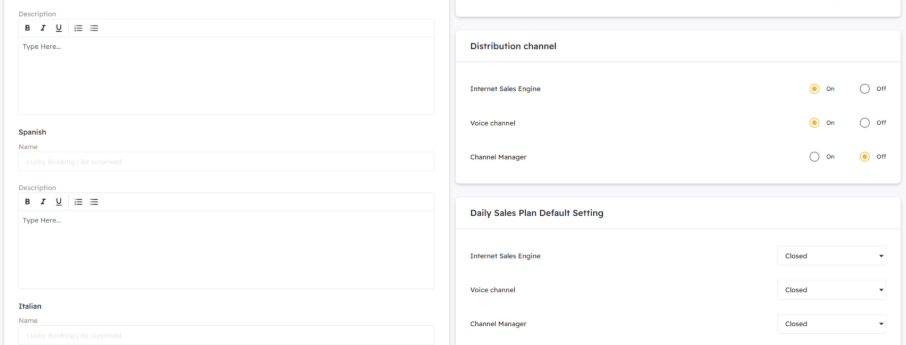
If your lucky bookings should only be bookable on demand, we recommend keeping distribution channels closed and opening them only for specific periods.
Alternatively, your offer can always be available—for example, if you want to offer last-minute lucky bookings and have selected inventory units that should definitely still be sold at short notice.
If this rate plan is only bookable x days before arrival and units are still available, the offer will appear. If all units included in the product have already been sold, the last-minute offer will not be displayed.
Retail Strategy
Depending on whether the offer is intended to be set up as the lowest price, you must ensure that ERFCs are activated under “Lowest Price.” Otherwise, the product cannot be displayed.
